Skip to content
No login requiredNo subscriptionNo trackingNo cloudYour data stays on your Mac
Tokens 4 Breakfast logo
Tokens 4 BreakfastThe AI spend guard for builders.
Built-in Claude usage

The built-in tools tell you how much is left. T4B tells you before you ask.

Claude Code's /usage command (with /cost and /stats) and claude.ai → Settings → Usage both show your 5-hour and weekly limits, for free, straight from Anthropic. Tokens 4 Breakfast keeps that number always visible in the menu bar, forecasts when you will hit the wall, and adds every other AI tool you pay for in one view.

Decision matrix

Where each option wins and where it breaks down

The point is not to pretend every alternative is bad. It is to make the tradeoff obvious for a Mac builder who needs a live operating signal.

On-demand vs always-on

The /usage command and the claude.ai usage page are accurate the moment you check, but you have to remember to run the command or open a browser tab. T4B keeps the live number in the menu bar and shifts from calm to amber to red as you approach a limit, so you notice before you are locked out, not after.
One tool vs your whole stack

Anthropic's built-in views only know about Claude. If your real monthly AI cost also spans Cursor, ChatGPT, Copilot, Gemini, and OpenRouter, T4B is the one place that adds them up, including the fixed subscriptions the usage page never sees.

Percent of limit vs real money

The built-in page tells you how much of your plan is left. T4B also shows what your usage would have cost at API rates, the "I would have paid this much" number, and predicts your month-end total. That is the figure that tells you whether your Max plan is actually worth it.

Now vs the forecast

The built-in tools are a snapshot of the current window. T4B adds burn-rate forecasting and a reset countdown, so instead of "you are at 84%" you get "at this pace you will hit the weekly cap Thursday."

Privacy

Both approaches keep your data with you. The built-in commands read your own account, and T4B reads the same local Claude Code login already on your Mac. It never sends your prompts anywhere: no separate login, no cloud, no telemetry.

Use the built-in tools when

You only use Claude, you are happy to run /usage or open the usage page when you wonder, and you do not need to track spend across other AI tools.

Use T4B when

You want the limit and your real spend always visible, a forecast before you hit the cap, and every provider and subscription you pay for added up in one Mac app.

Feature-by-feature

Where Built-in Claude usage ends and T4B starts

FeatureBuilt-in Claude usageTokens 4 Breakfast
Where it livesIn the Claude Code terminal (/usage, /cost, /stats) or the claude.ai Settings then Usage page. You go to it.Always in the macOS menu bar. The live number and rate-limit pressure stay in front of you while you work.
Providers coveredClaude only. It has no view of your other AI tools or subscriptions.Eight providers plus subscriptions in one view: Claude Code, OpenAI, Cursor, Copilot, Gemini, DeepSeek, Mistral, and OpenRouter.
What it measuresPercent of your 5-hour and weekly limits, plus session cost.The same limits and per-model meters, plus API-equivalent dollar spend and a month-end bill forecast across everything.
Warnings and forecastA snapshot of the current window when you check it. No forecast, no heads-up.Burn-rate forecast, a reset countdown, and a menu bar that turns amber to red as you approach a limit.
Price and setupFree, included with your Claude plan.Free for one provider; $7.99 one-time unlocks all eight. Reads your existing Claude login with one tap, nothing to paste.
Product proof

The difference is visible in the app surface

Most alternatives focus on one slice — a single provider or a limit indicator. Tokens 4 Breakfast is designed around total AI spend, subscriptions, providers, and the Mac menu bar workflow.

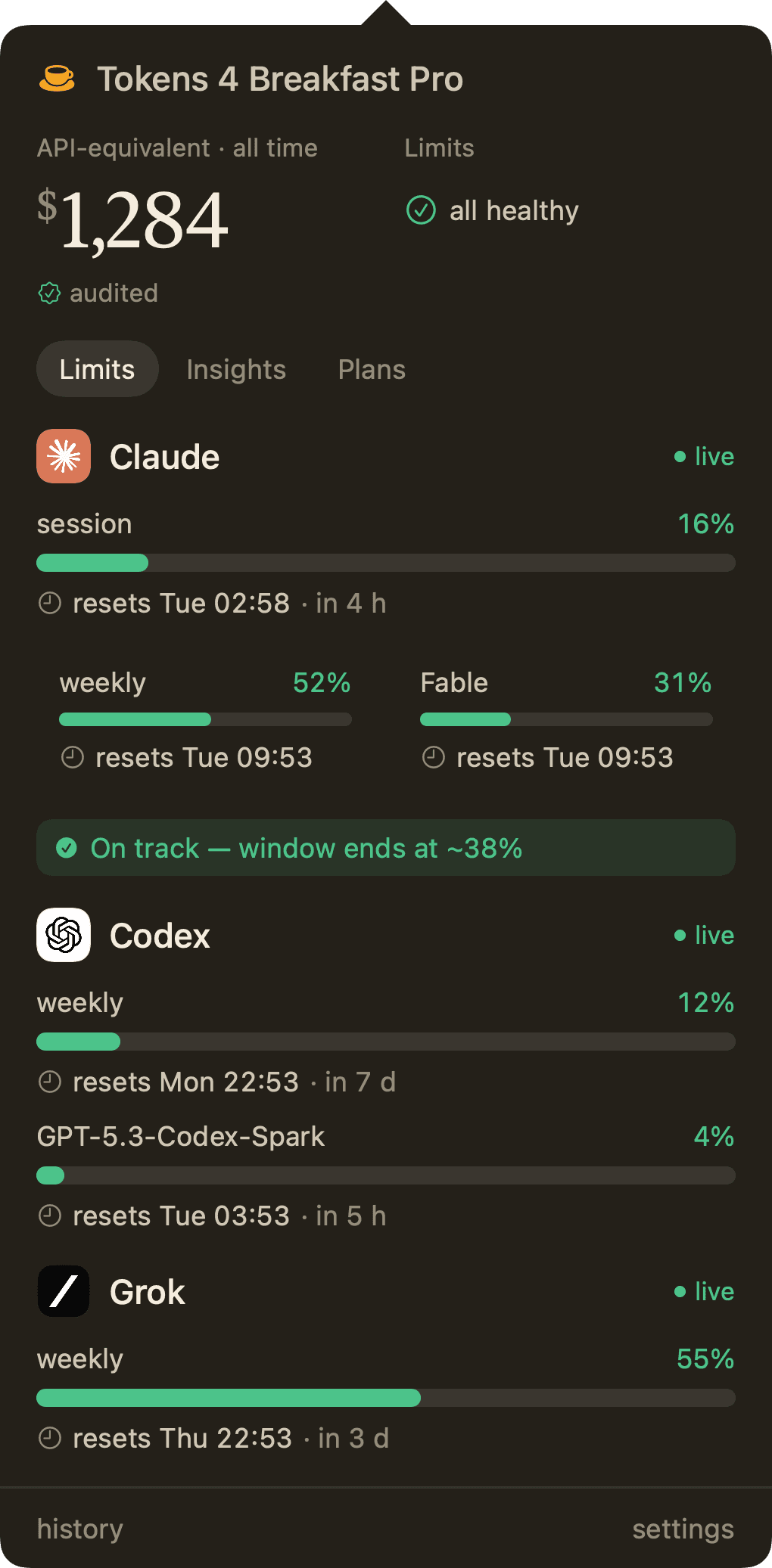
Tokens 4 Breakfast menu bar dropdown showing live spend, focus mode, seven-day chart, subscriptions, and subscription total.

The limit lives in your menu bar

The 5-hour and weekly meters, per-model limits, and live spend stay visible, with no command to run and no tab to open.

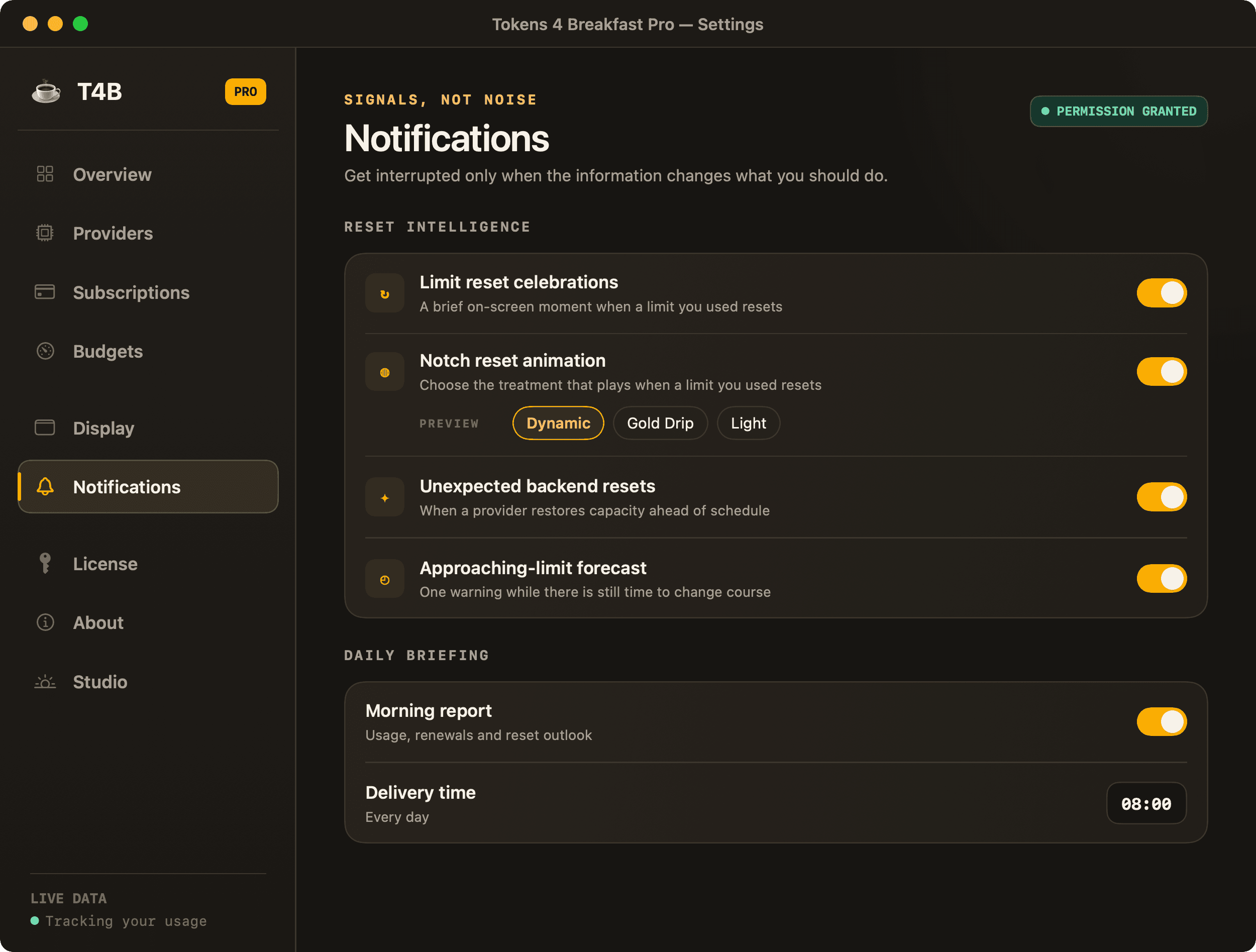
Tokens 4 Breakfast notification settings showing morning digest, Claude Code rate-limit alerts, and budget alerts.

A heads-up before the wall

T4B warns you when you are on pace to hit a cap, instead of showing you the number only after you go looking.